Contents Jump to section
Passwordless journey with FIDO2 - Part 2 - Usage experiences

ARCHIVED -- This post has been archived. This post contains 2019-era hardware reviews for FIDO2 security keys. The products and firmware versions discussed are outdated and some devices reviewed are discontinued. The original content is preserved below for historical reference.
Original content preserved below:
Series Navigation
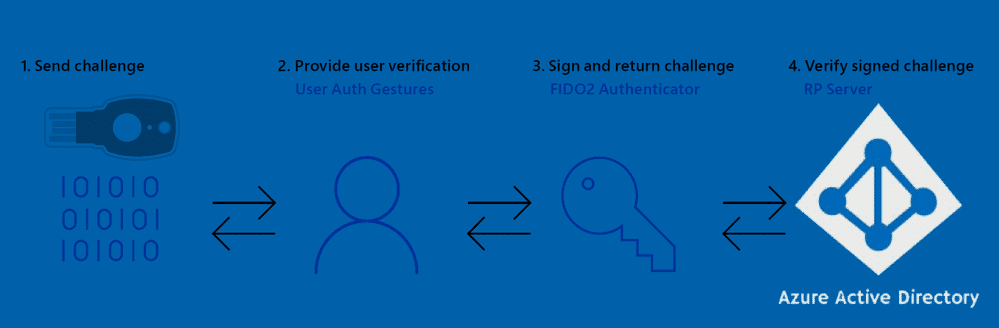
In the last part I wrote about the beginning of my passwordless journey and which keys I had available. In this second part I'll cover overall experiences with each vendor's security keys.
A key fact true for all keys: The key only needs to be inserted at time of authentication, so don't leave it in all day.
Solokeys Solo Tap USB-A (NFC)
This key might be good for Google or Facebook, but it was not pleasant for Azure AD use.
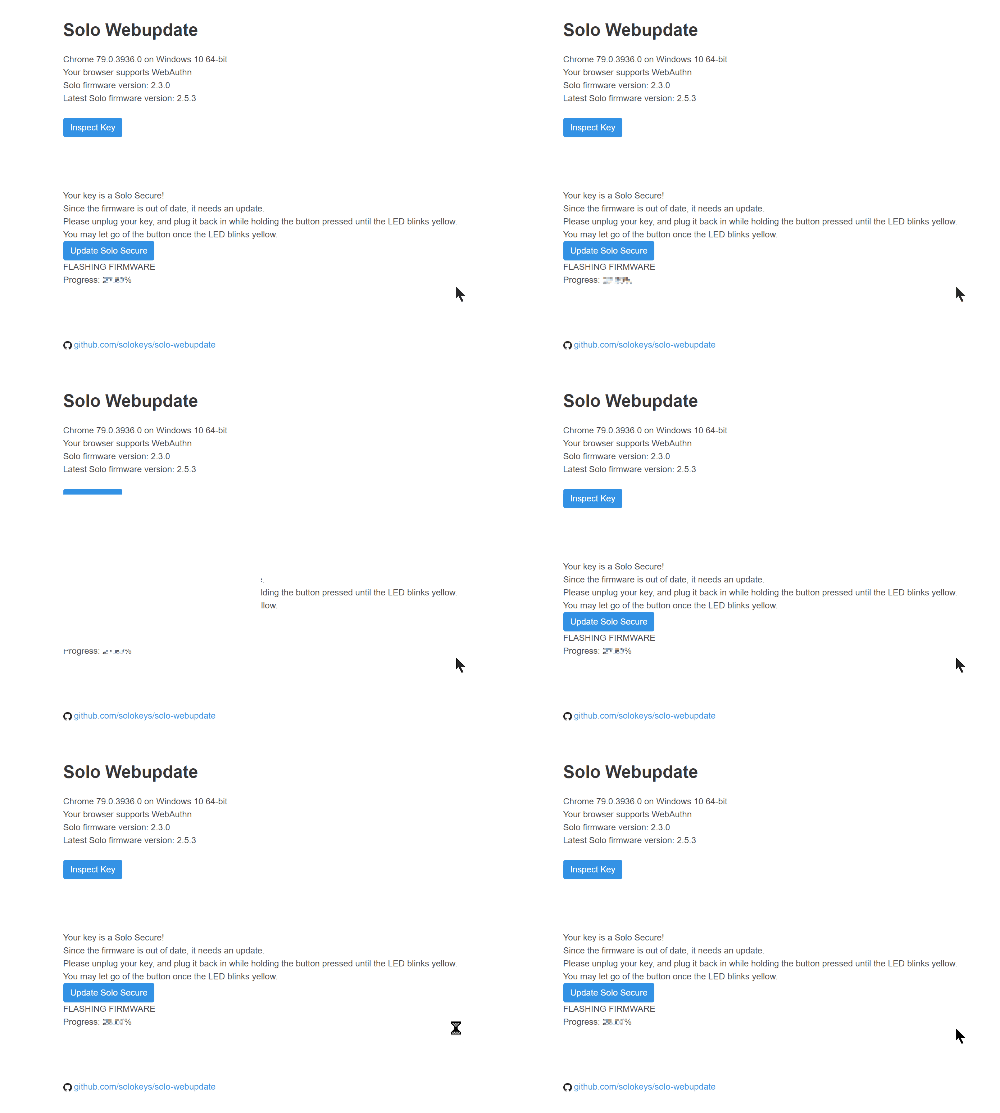
The pre-loaded firmware didn't allow adding it to Azure AD. Even after a less-than-pleasant firmware update process, with annoying prompts every second:
The mysignins page showed this key was "blocked by my organisation" - meaning Microsoft's block list, not my tenant's.
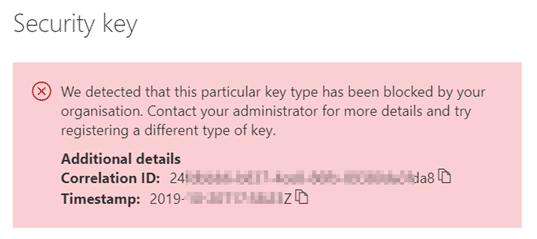
Moral: Go with an approved vendor. Don't just use any FIDO2 Security Key for Azure AD.
Yubico keys
Unboxing was nice, easy to get started, and good build quality. No trouble registering with Azure AD.
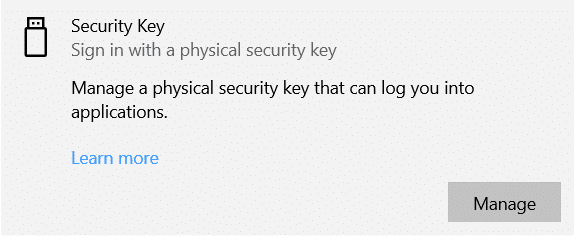
The built-in Windows Security Key Manager works nicely:
The YubiKey Manager offers more features but is a 250MB install with over 3500 files:
Sign-in to Windows works, but without biometrics you need to enter a PIN each time - not as fast as biometric keys.
A great feature: you can add a static password that types out when you long-press the touch sensor. This works because the Yubikey registers as a HID keyboard, enabling passwordless for legacy apps without SSO.
Overall happy with Yubikeys, but the lack of biometrics kept me from using them more regularly.
eWBM keys
The eWBM keys come in a reusable box and seem very robust. Setup was smooth with no firmware upgrades or software needed.
The BioManager application:
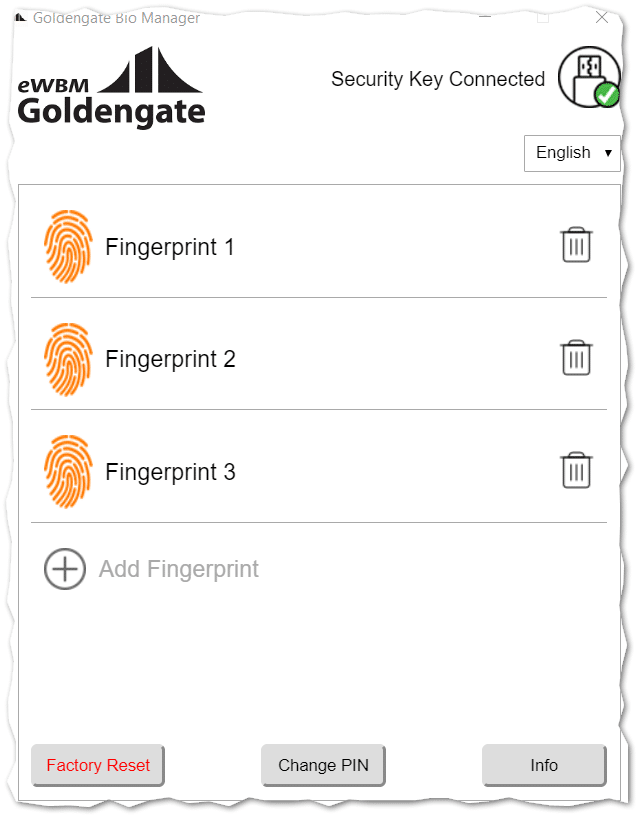
The super fast biometric fingerprint reader is the standout feature. It's far superior to laptop fingerprint readers and makes daily use much smoother - insert key, touch, done. No PIN required.
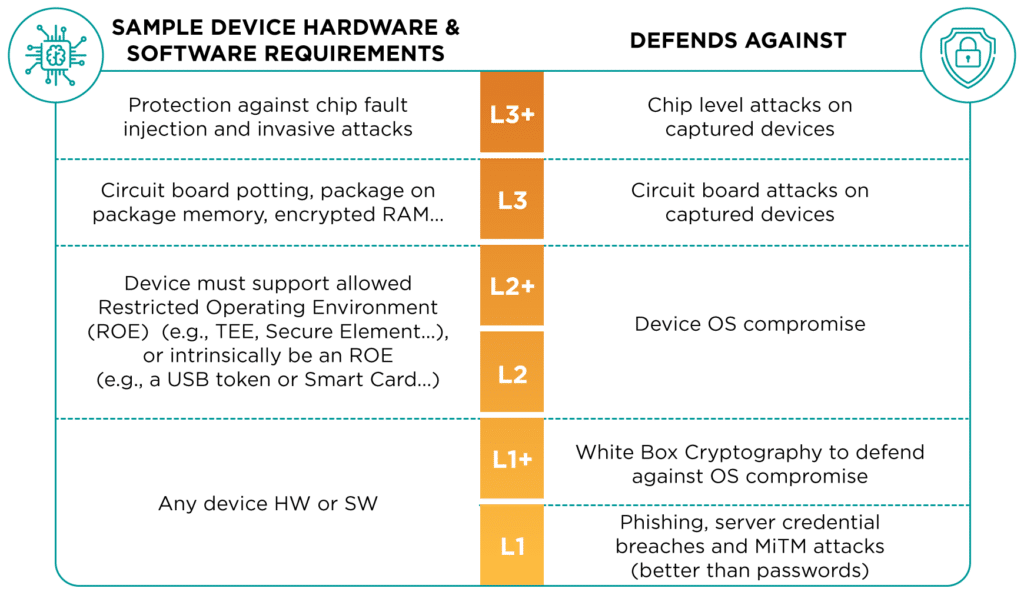
eWBM has achieved FIDO2 Level 2 certification - the highest practical level currently available:
This key doesn't suffer from feature creep - it's a focused FIDO2 key, which speaks to the company's seriousness about this one thing.
The end of part 2
This is not a product review but one admin's opinion from daily use. For OS sign-in, Windows Hello for Business with Face ID is still preferred when compatible hardware is available.
But security keys shine when connecting from any device other than your personally assigned one. If embarking on a serious passwordless journey, read Microsoft's passwordless strategy:
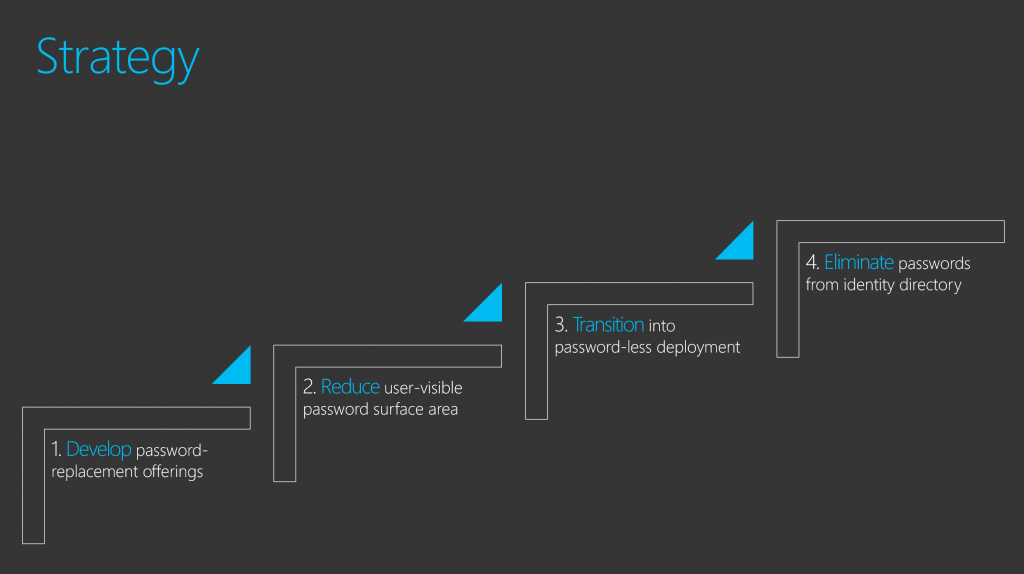
Reference: Microsoft Passwordless Strategy