Contents Jump to section
FSLogix slow sign-in (fix) redux - Black Screen bug

UPDATED March 2026 -- This post has been reviewed and updated to reflect current Microsoft product names, portal locations, and technology status. See inline notes for specific changes.
FSLogix slow sign-in caused by the App Readiness service can be fixed without workarounds. In this post you will learn what goes on with this service during any Windows login.
Debugging FSLogix slow sign-in issues can be a stern reminder of just how many things interact with each other during the Windows login sequence. Most of the time, it might not even be FSLogix that's at fault -- or at least not entirely, which you can read about in this post where we must once again fix the OS and not FSLogix (Psst it's all about App Readiness this time).
If you missed the previous post that this one extends, then do yourself a solid, and check it out in case you are going mad googling through all sorts of solutions: FSLogix slow sign-in (fix)
The problem
Imagine running a large RDSH farm, either on-prem or using Azure Virtual Desktop (formerly Windows Virtual Desktop). Now, imagine that all your users have to wait several minutes the first time and perhaps each subsequent login. And all they have to look at is a black screen with a cursor, no progress indicators; add to that, once the desktop finally renders, the CPU is tied up for several minutes!

This black screen during sign-in is NOT the best way to start your users day.
This is what I had to deal with recently. And since solutions were nowhere to be found, I decided that sharing the cause and resolution with you good folks reading this blog was my duty to the community.
The cause
The internet is overflowing with issues surrounding this phenomenon in both persistent and non-persistent VDI/RDS environments. It is not even isolated to Windows servers because the culprit is actually the App Readiness Service, which is responsible for initializing the user profile with, among other things, AppX packages.
Q: How do you know it is the App Readiness service?
A: I used the awesome ProcMon: Process Monitor -- Windows Sysinternals
Anyway, the App Readiness service is required for any modern desktop or multi-session host, so please don't just take for granted that you can disable this service, and all your problems disappear (even though it might seem so).
The App Readiness service
As I said, this service is important, and without it, Windows Update will not work properly, your AppX packages will start to vanish, and rot will set into the deepest corners of Windows.
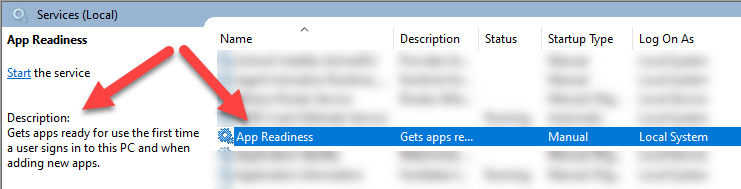
But this post is not about why you should have the service enabled. It is more of why it might be slowing you down, especially with FSLogix in the mix.
You see, the FSLogix container, and others like it, seem to insist on re-enumerating the AppX installations. So, basically, reinstalling them each time a user signs in to their desktop.
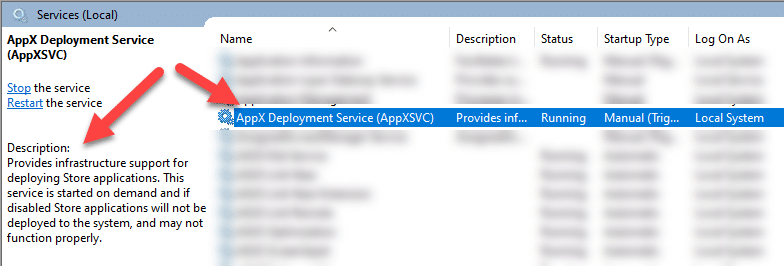
Normally the process is cached by the AppX Deployment Service. And should only happen once in a while for a regular user profile. So you might dismiss even doing anything about such an intermittent slow sign-in issue.
From the learnings in the previous blog post, we know that FSLogix does not do too well if too many things need to be enumerated/evaluated etc., during the sign-in.
The reason App Readiness is especially hard on FSLogix sign-ins
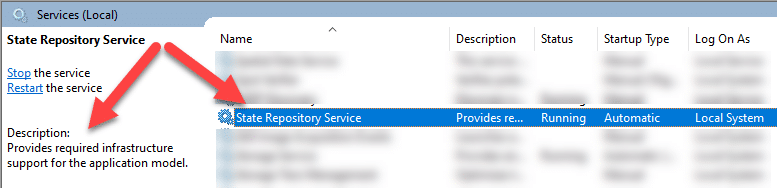
As it turns out, the App Readiness service will actually start the AppXsvc, which will then do the work with the AppX packages needed in the user's profile. And this, in turn, kicks the StateRepository service into gears, which is where things might start to go really bad.
What is this StateRepository service, you say? Well, there is not a whole lot of information about it online. For this blog post, all you need to know is that it's a service that on the backend operates an SQLite database that stores information about all the AppX packages. And it is the same file/database for all users!
The database file is located in "%SystemDrive%\ProgramData\Microsoft\Windows\AppRepository". If you want to take a look, you can open up an elevated prompt and run the following commands.
cd %SystemDrive%\ProgramData\Microsoft\Windows\AppRepository
dir state*
Now imagine that this database grew too large, and the system had to work with that database for each user sign-in. That could, at some point, cause fatigue of system resources.
The StateRepository database size
Now, if you have a single environment, you might not notice that this database had become too large because "what is the normal size anyway?".
Let's see about the output from the command I showed you in the previous section...
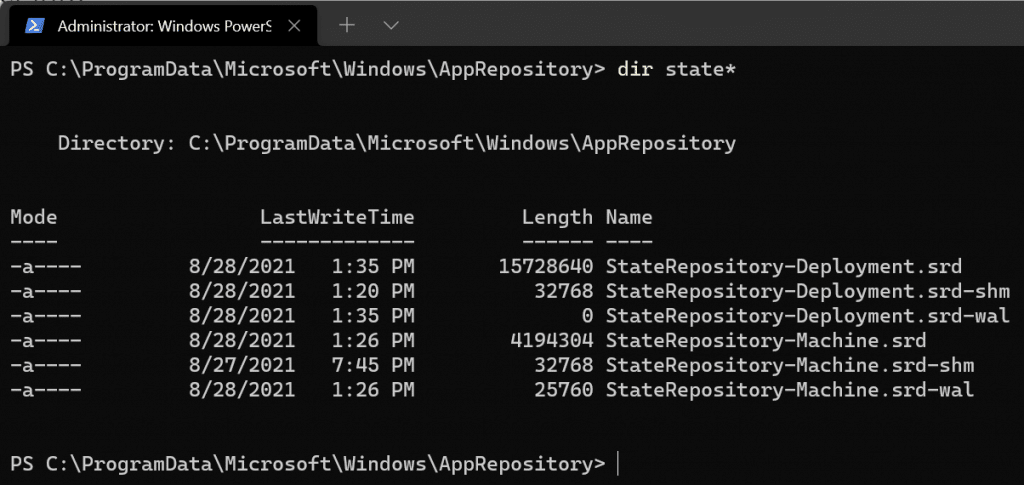
The screenshot above is from my Windows 11 computer with a bunch more AppX packages than your average RDS Farms. As you can see, the files are only a few MB in size.
I have not been able to find a document that states what the normal size is. So let's see what the size is on a server that is suffering from FSLogix slow logon with a black screen:
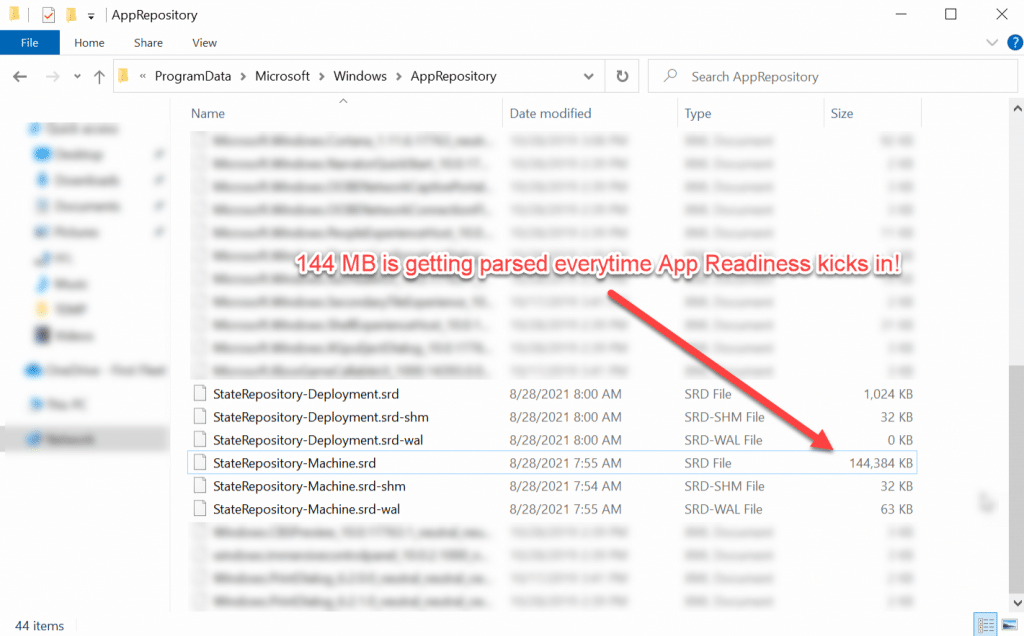
Quite a difference, right? Poor server! Having to process this database file simultaneously for several user logins. Mornings must be hell...
Q: Why did this happen?
A: I don't know.
Q: So, do we dare delete this?
A: Sure we do!
Since the StateRepository service will automatically recreate a new database at startup.
We have backups of our servers/workstations (right?).
The script to fix the StateRepository database bloat
So, since there is good reason to believe this action has to be done on several servers. I wrote a quick script to delete the StateRepository database (which could be locked by services). You can fetch a copy from my GitHub repository here:
invoke-StateRepositoryReset.ps1 (github.com)
In short, this script will attempt to stop the associated services and delete all the StateRepository database files.
This bit of PowerShell is a straightforward version of the script. You should use the full version from the GitHub repo.
Get-Service -Name StateRepository | Stop-Service -Force
Get-Service -Name AppReadiness | Stop-Service -Force
del C:\ProgramData\Microsoft\Windows\AppRepository\StateRepository*
Get-Service -Name StateRepository | Start-Service
After having completed the database reset, FSLogix slow sign-in should be a thing of the past. That is, unless you are running your farm on a dumpster with spinning disks, then nobody can save you.
Conclusion
StateRepository bloat/corruption is bad for FSLogix, Mmmkay?
Please bear in mind that this knowledge is shared for learning purposes only. So, do your own tests etc., before deploying this fix into production environments.
Respect each other out there -- we can get through this -- we are meaningless without each other.