Contents Jump to section
Enable Microsoft Enterprise SSO plug-in for Apple Devices through Intune

UPDATED March 2026 -- This post has been reviewed and updated to reflect current Microsoft product names, portal locations, and technology status. See inline notes for specific changes.
Overview

Microsoft Enterprise Single Sign-On has been limited on Apple iOS/macOS devices until now. The new SSO plug-in for the Microsoft Authenticator App changes everything.
The Microsoft Enterprise SSO plug-in for Apple devices provides single sign-on (SSO) for Microsoft Entra ID accounts across all applications that support Apple's Enterprise Single Sign-On feature.
NOTE (Updated 2026): macOS support for the Microsoft Enterprise SSO plug-in is now generally available (no longer in preview). Use the same extension configuration for both iOS/iPadOS and macOS devices. For macOS, use Extension ID
com.microsoft.CompanyPortalMac.ssoextensionwith Team IDUBF8T346G9.
UPDATE: If your Teams client starts acting strange, try removing your device from being targeted by this policy and reboot the phone.
Requirements
- iOS 16 minimum OS version
- Latest version of Microsoft Authenticator with your identity configured
- Device enrolled with Intune or another MDM
- SSO feature enabled through a device feature policy
How to enable the SSO extension
Step 1: Creating a device feature profile
Navigate to the Microsoft Intune admin center at https://intune.microsoft.com.
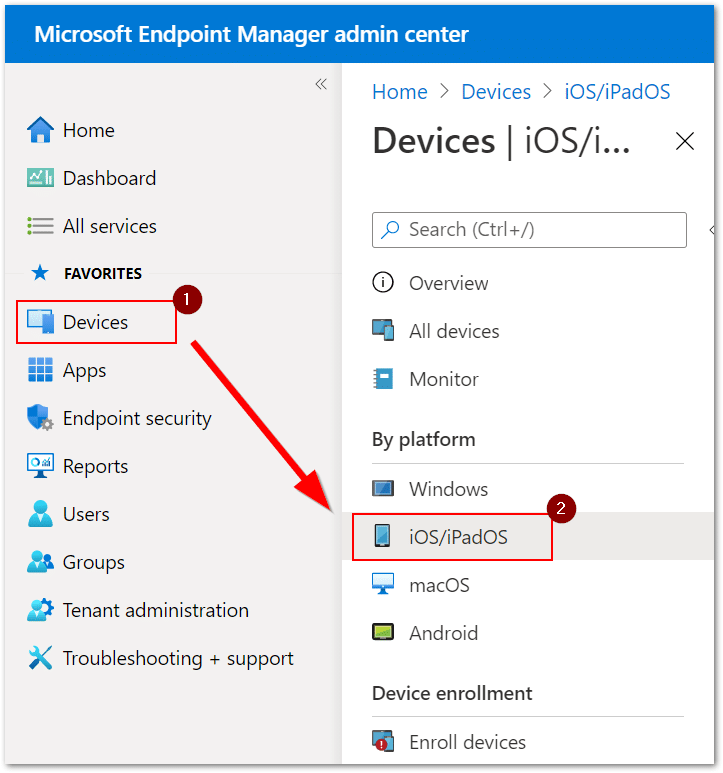
- Click Devices > iOS/iPadOS
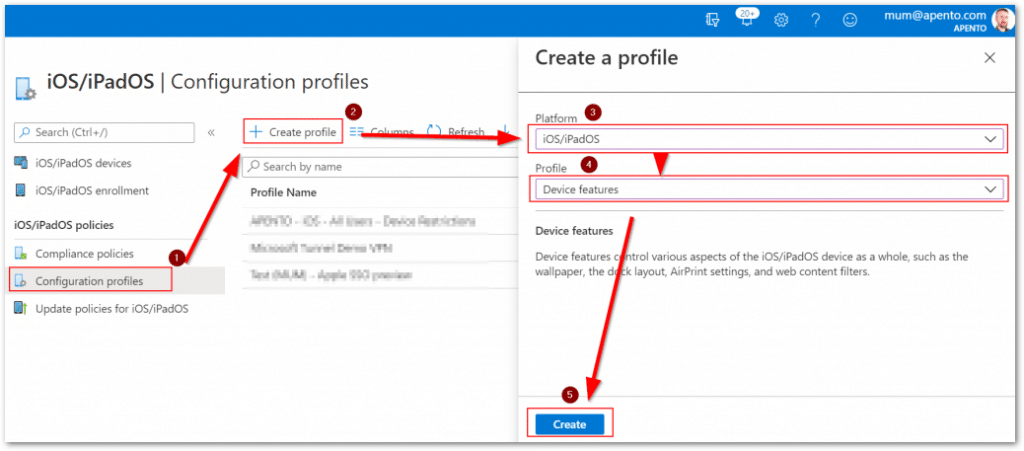
- Click Configuration profiles > + Create profile
- Select Platform iOS/iPadOS and Profile Device features
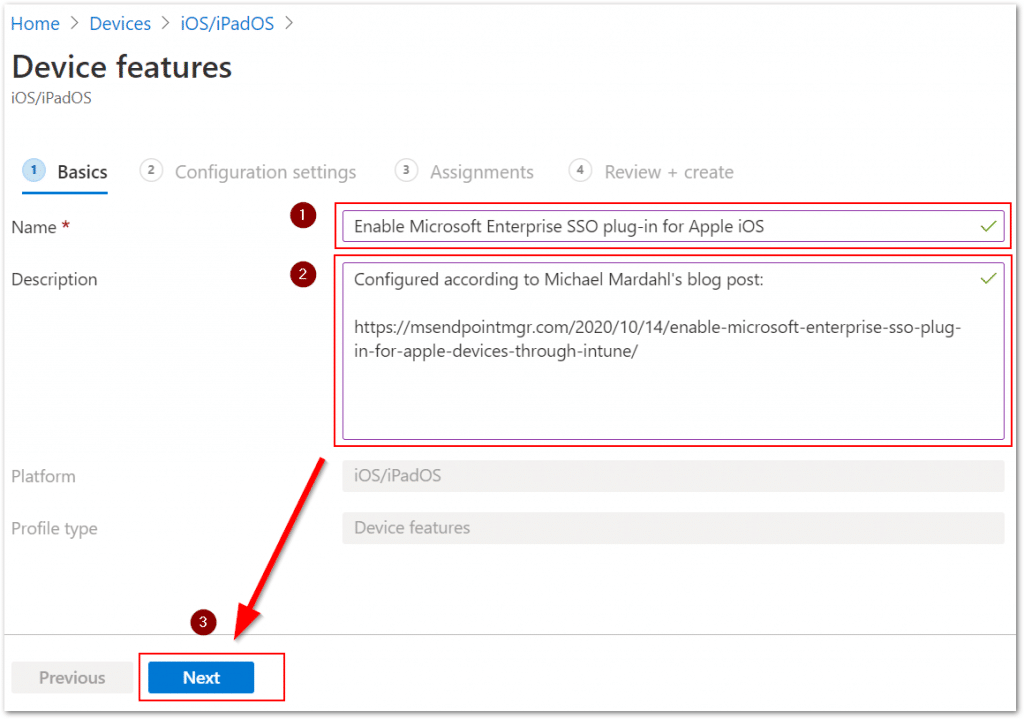
Step 2: Configuring the SSO App extension feature
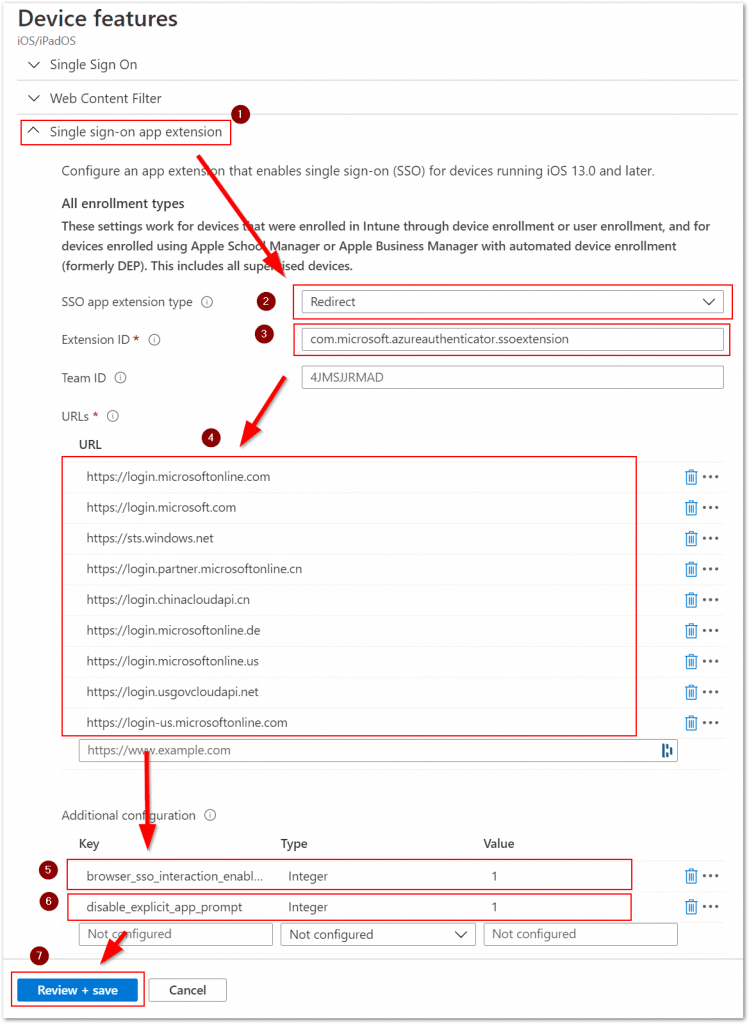
Configure the Single sign-on app extension (not "Single Sign On"):
-
Select SSO app extension type: Redirect
-
Extension ID: com.microsoft.azureauthenticator.ssoextension
-
Add the following URLs:
-
Additional configuration keys:
- browser_sso_interaction_enabled - Type: Integer, Value: 1
- disable_explicit_app_prompt - Type: Integer, Value: 1
Step 3: Assign the policy
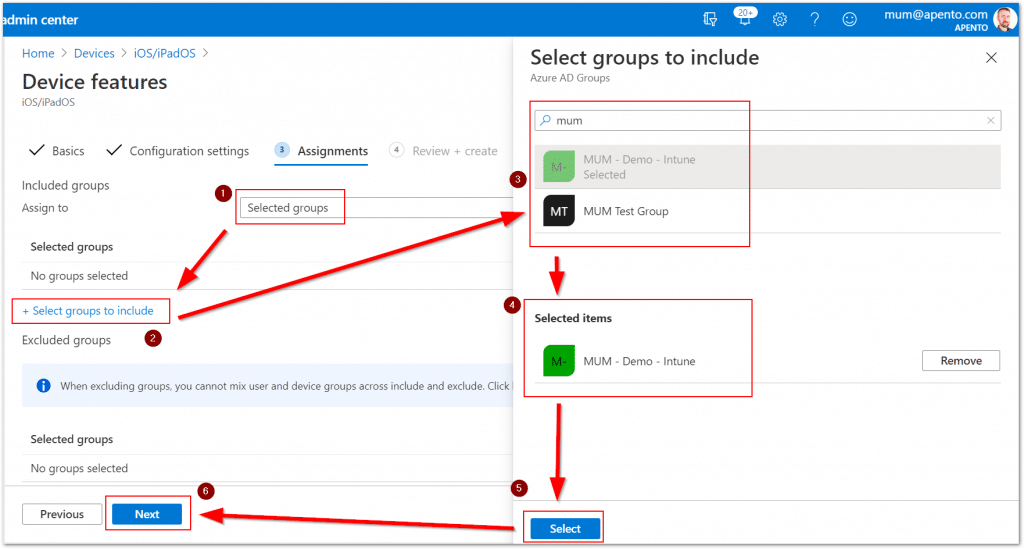
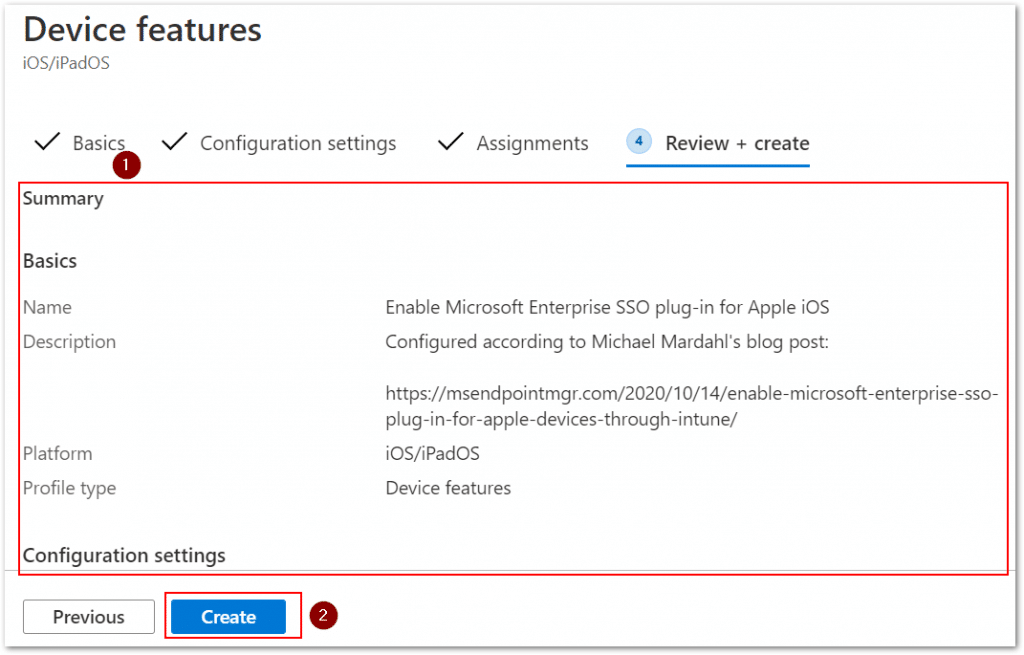
Testing the Single Sign-On experience
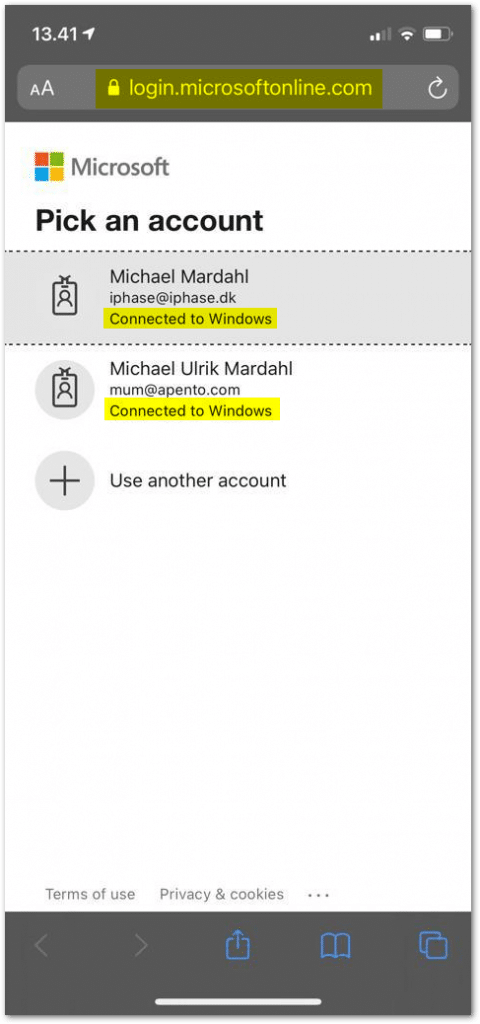
Test using the Microsoft 365 portal in Safari for iOS. Clear cached credentials first using Apple's guide.
Read more
For macOS, use Extension ID com.microsoft.CompanyPortalMac.ssoextension with Team ID UBF8T346G9.