Contents Jump to section
2 Cool new password policy features in Microsoft Entra Connect Sync

UPDATED March 2026 -- This post has been reviewed and updated to reflect current Microsoft product names, portal locations, and technology status. See inline notes for specific changes.
The What
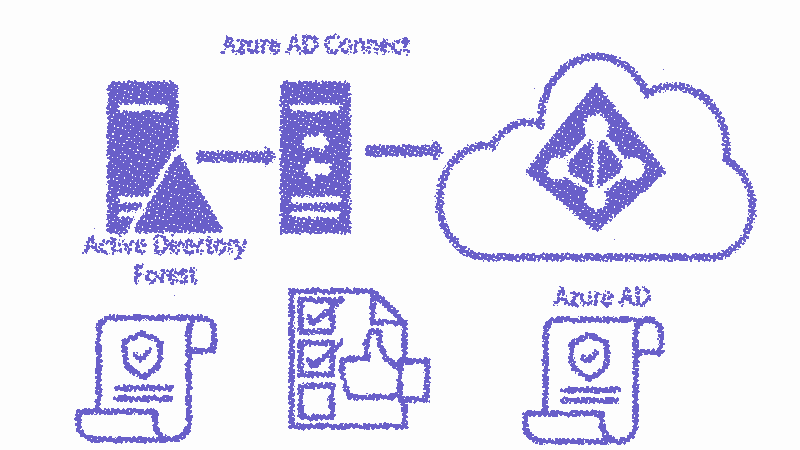
Two long-anticipated features have entered public preview in Microsoft Entra Connect Sync, killing off one of the last arguments for staying on AD FS or Pass-Through Authentication:
- Force password reset at logon - Sync temporary passwords and force change on next logon
- Enforce cloud password policy for synced users - Apply Entra ID password expiration to synced accounts
The Why
It makes little sense to enforce password expiration on-prem and have it go away after syncing to Entra ID. Same goes for enforcing temporary passwords after helpdesk resets.
Many admins have been using PowerShell workarounds or stayed with AD FS/PTA because of this gap.
If this misalignment never crossed your mind, reconsider why you have password expiration at all. Microsoft and NIST now advocate longer passwords that don't expire, paired with good MFA.
The How
Enforce cloud password policy for synced accounts
Run this against Entra ID (e.g., via Azure Cloud Shell):
NOTE (Updated 2026): The MSOnline module cmdlet below has been retired. The equivalent Microsoft Graph PowerShell SDK command is:
Update-MgDomainor configure via the Entra ID portal under Password protection settings.
Set-MsolDirSyncFeature -feature EnforceCloudPasswordPolicyForPasswordSyncedUsers $trueNOTE (Updated 2026): The MSOnline (Set-Msol*) and AzureAD (-AzureAD) PowerShell modules were retired in March 2024. Replace these cmdlets with the Microsoft Graph PowerShell SDK. The code above is kept for historical reference only.
This disables the default behavior where synced user cloud identities are set to "password never expires."
Syncing a temporary password
Run this on your Microsoft Entra Connect Sync server:
Set-ADSyncAADCompanyFeature -ForcePasswordResetOnLogonFeature $trueThe When
Available now in preview. Microsoft preview features hold no production obligations, but abuse of this right is rare. Enable it and test.
The Caveats
Setting a permanent password from the cloud
Users signing in with a temporary password through a cloud service will set their permanent password in Entra ID, not directly back to on-prem AD. You need password writeback and SSPR enabled for that.
Expired users
Disabled accounts can still sign in to cloud services even when the on-prem account expiration attribute is set. If you just disable terminated users (rather than expire them), Microsoft Entra Connect Sync will sync the disabled state properly.
Service accounts
Service accounts will now get their passwords expired. Fix this per-account:
Get-AzureADUser <Service Account UPN> | Set-AzureADUser -PasswordPolicies "DisablePasswordExpiration"NOTE (Updated 2026): The MSOnline (Set-Msol*) and AzureAD (-AzureAD) PowerShell modules were retired in March 2024. Replace these cmdlets with the Microsoft Graph PowerShell SDK. The code above is kept for historical reference only.
Password policy misalignment
Your local password policy is NOT synced to Entra ID. If your on-prem policy expires at 120 days but Entra ID defaults to 90 days, users will get confused by mismatched expiration prompts. Align both policies.
Final words
Use new knowledge responsibly and remember to share. These features represent important steps in unifying the identity experience between on-prem AD and Microsoft Entra ID.